How to find a secret or second Instagram account
Social media brought us closer to the people we love, but it can also show us a side of them we didn't know. Maybe you've noticed your partner switching accounts when you walk in, a friend mentioned a profile you've never seen, or a stranger's account seems to know far too much about someone close to you. Can you find out whether that person has a secret or second Instagram account? Very often, yes, because keeping a profile completely hidden is harder than people think.
This guide brings together every method we've used to find second Instagram accounts, from free searches inside Instagram to background search sites. You'll learn how to search by name, username, phone number, email and photo, how to tell whether an account you found really belongs to the person, and what a second account does and doesn't mean. A reverse username search can also show the other accounts that share the same handle.
In this guide
- Why people keep more than one account
- Before you start: collect what you know
- Search inside Instagram
- Read their main profile and friends' profiles
- Search with their phone number
- Check their email address
- Try their usernames on other sites
- Use Google search filters
- Search by picture
- Social media search engines and background checks
- Is it really the same person?
- When the second account is a fake
- Why going through their phone backfires
- What to do once you find it
- Questions about secret Instagram accounts
Why people keep more than one account
Before you search, it helps to know how normal second accounts are. Instagram itself lets you add up to five accounts in the app and switch between them with one tap. Plenty of people use that for perfectly ordinary reasons.
The most common is privacy from their own followers. Someone with a public account full of family, coworkers and clients may want a private one for close friends, where they post jokes and everyday moments. Teenagers call it a "finsta", short for fake Instagram, and plenty of adults keep one too. Others separate their personal life from a small business, a hobby, an online course or a pet page.
Some second accounts are simply forgotten. In Instagram's early years, people created accounts, lost the password or the email, and started over with a new one. The old profile is still out there, sometimes with old photos, and its owner may not remember it exists.
And then there are the accounts people hide on purpose: to follow an ex, message people privately, keep up with dating, or avoid jealousy and arguments with a partner or parents. Those are the ones this guide helps you find. Once you know the innocent reasons, you can read what you find calmly, instead of assuming the worst from an account with a cartoon avatar.
Before you start: collect what you know
Every method below starts from one detail about the person, so write down everything you have before you search. The more details you have, the faster you'll find a match, and the easier it is to confirm it.
- Their full name, nicknames and the names friends call them.
- Every username they use on Instagram, TikTok, Snapchat, X, Facebook or gaming sites.
- Their phone numbers, including old ones.
- Their email addresses, including work and old ones.
- A few clear photos of them, ideally ones they posted themselves.
- Their city, workplace, school and close friends.
Search inside Instagram
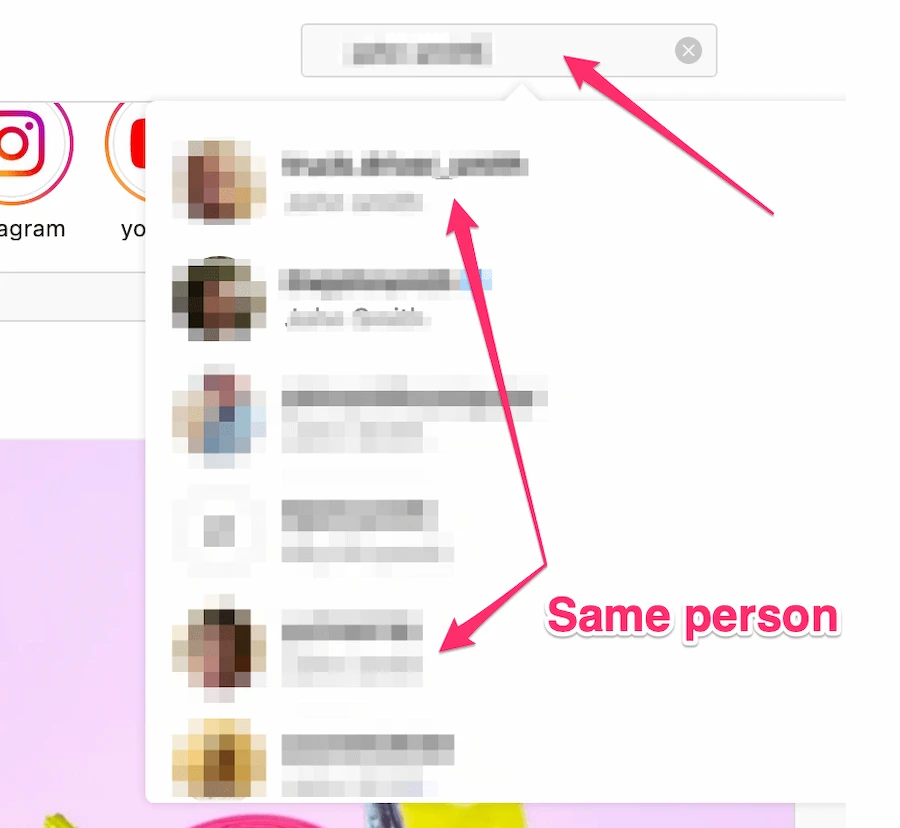
Instagram's own search is free and quick, so start there. Open the app or instagram.com, tap the search tab and type the person's full name. Instagram searches both usernames and the name field, so you'll see accounts whose handle or display name matches. Then try every variation you can think of: first name only, nickname, first name plus a birth year, the name spelled backwards or with initials.
People rarely use their full real name on a secret account, but they often keep part of it. When their real name is taken or too obvious, they add numbers, underscores or abbreviations. So for Bryan Wilson, search bryanw, b.wilson, bryan_w89 and notbryan too.
Don't rely on the profile picture when you scroll through results. Second accounts often use a different photo, a cartoon, a view or no picture at all, precisely because they're meant to stay separate. Open every account that seems plausible and look at what it follows and posts.
Read their main profile and friends' profiles
The main account often points to the second one, by accident or on purpose. Read the bio first, because people sometimes tag their other account there, especially for business or hobby pages. Then open the list of accounts they follow and look for profiles with few followers, no real name and a private setting. A small account that follows only their close friends deserves a closer look.
Turn it around, too. Check who follows the main account and who interacts with it. A private account that likes every post within minutes, or that their best friends follow back, is a classic sign. Finally, look at the main account's tagged photos and the comments under their posts. Friends sometimes tag or mention the second account without thinking.
Do the same on their closest friends' profiles. People often follow their own second account from the same circle of friends, so the same small private account showing up in several friends' following lists is a strong clue.
Search with their phone number
You don't have to search Instagram by name only. It can also suggest accounts linked to the phone numbers in your contacts. Make sure the person's number is saved on your phone, then open your Instagram profile, open the menu and look for "Follow and invite friends" or "Discover people". Choose to connect your contacts. Instagram then suggests accounts registered with numbers from your contact list.
This works best for numbers that were used at sign-up and for people who left contact discovery on. A person who deliberately hid an account often created it with another number or with just an email, in which case it won't appear. Instagram also uploads the contacts you connect, so disconnect them again in your settings when you're done.
Check their email address
Instagram's "forgot password" page can tell you whether an email has an account, and it often shows a partly hidden username or phone number. Enter the address and stop at the screen that confirms the account. Don't send the reset link, because that alerts the owner, and don't try to log in. A guessed password on someone else's email counts as an attempt to access their account, and in most countries that's illegal, even between partners.
Keep in mind that Instagram lets people run several accounts from one login, and many people use a second email for a second account. So the address you know may lead only to the main account. Try any old, work or school addresses you know as well. A Gmail address can also lead to accounts on other platforms, and our guide to finding social media by email covers that.
Try their usernames on other sites
Don't stop at Instagram. People reuse the same handles, so a second Instagram account often matches a TikTok, Snapchat or X username the person already uses. Run each username you collected through the free Trustiko username search or the free username lookup on Reverse Username Search, which check hundreds of sites at once.
Their other profiles can also point to the secret Instagram directly. A TikTok bio might say "ig: something", a Snapchat Story might show an Instagram handle, and an old Facebook post might link a profile they've since kept quiet. Follow every profile you find and read the descriptions: people with two Instagram accounts usually have extra profiles elsewhere too.
Then try variations of their known handles on Instagram itself. If the main account is lena.harper, try lena.harper2, lenaharper_, lena.priv, notlenaharper and versions with initials or a birth year. Type each one after instagram.com/ in your browser to see whether it exists.
Use Google search filters
Google indexes public Instagram profiles, and its search operators let you filter results down to them. Type the person's name in quotes and add the site filter: "Bryan Wilson" site:instagram.com. Change the name, but keep the domain exactly as it is. Add their city to narrow it further: "Bryan Wilson" Austin site:instagram.com.
For a first name only, combine the variations people use when their real name is taken. A search like site:instagram.com william OR will OR willy OR bill plus a city or a hobby can surface accounts that never use the full name. Then run the same searches in Bing, which often indexes Instagram profiles that Google skips.
Remember what Google can't see. Private accounts show their name and bio in search results at most, and their posts never appear. So a Google search finds public second accounts and the name field of private ones, but not their content.
Search by picture
A secret account is often made with a different name and number precisely so that searches by name and number fail. Photos are harder to hide, because people post the same pictures, or pictures from the same day, on both accounts.
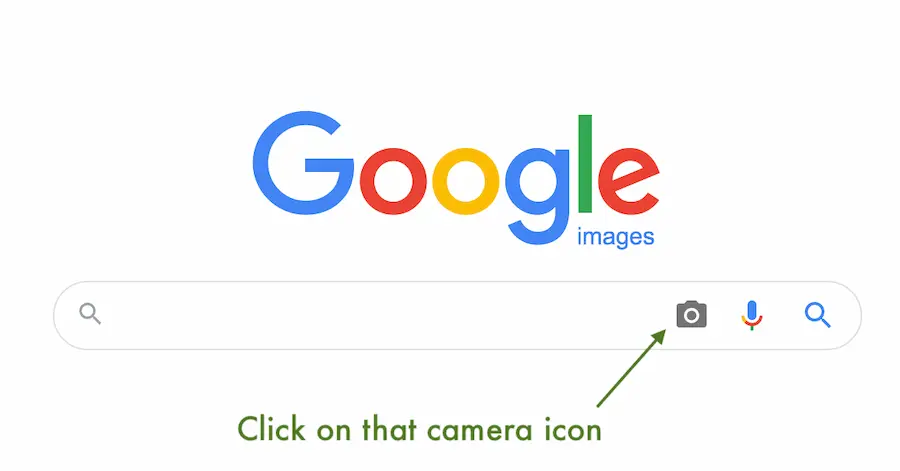
Save a few clear photos the person posted and upload them to Google Images or Google Lens: click the camera icon in the search bar and upload the picture. Google shows the exact image and similar ones, with the pages they came from. Then repeat the search in Bing Visual Search and TinEye. If a result links to an Instagram post, open it and you'll see the account that posted it.
Search engines can't index private accounts, so this finds public second accounts and reposts on other sites. If one photo finds nothing, try others, such as older pictures saved on your computer or sent by email. Even without an exact match, look for the same backgrounds in the profiles you suspect. A distinctive room, car, pet, tattoo or view out of a window tells you more than a face does, and it's hard to hide on a second account.
Social media search engines and background checks
When the free methods don't find anything, paid search tools can check many sources in one go. Social media search engines such as Social Catfish search by name, username, email, phone number or photo, and list the social profiles they find, including several Instagram accounts for the same person.
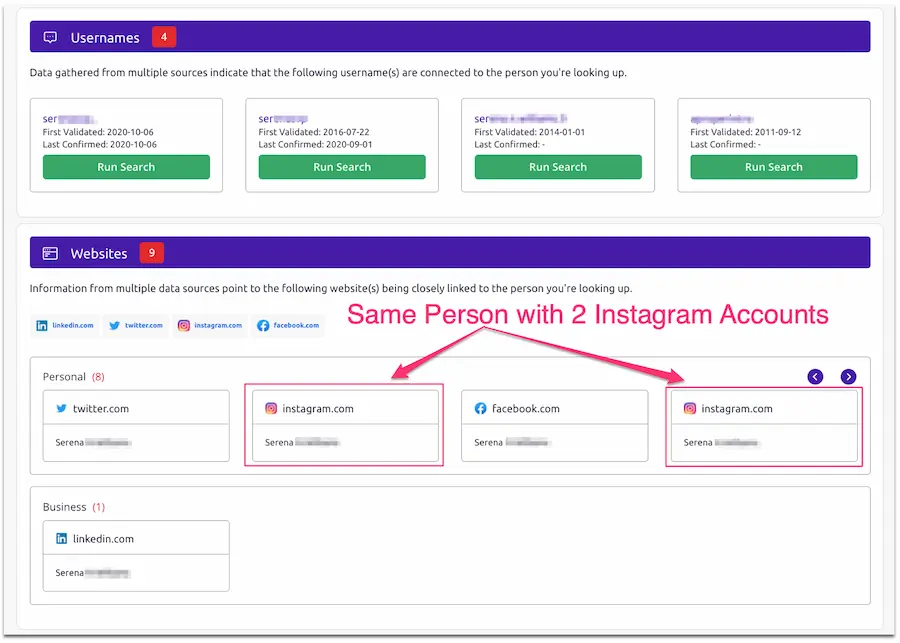
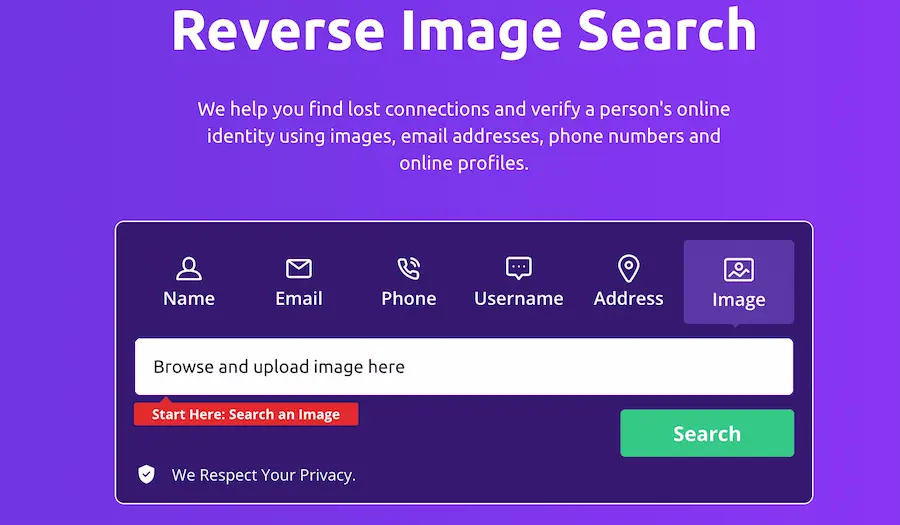
Background search sites such as TruthFinder, PeopleFinders and Instant Checkmate go further. They combine public records with online data and return reports with phone numbers, addresses, photos and, in many cases, social media accounts the person never mentioned. People used to hire a private detective for this kind of check. Today these sites do the first part from your home, anonymously, in a few minutes.
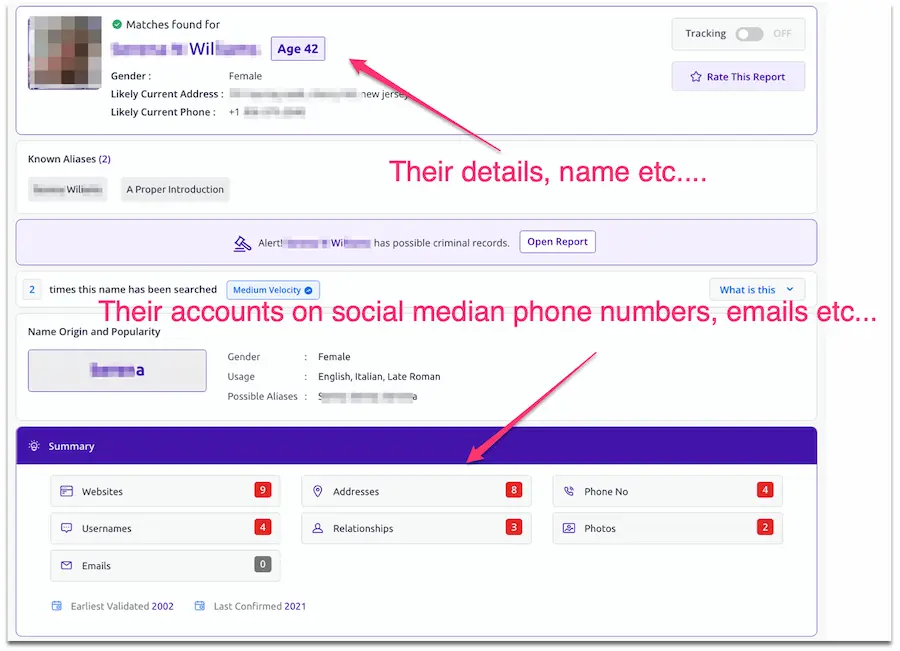
These tools work best when you give them the right details. Search with any of these:
- Their full name, ideally with their state or city.
- An email address they use.
- Their cell phone number, which is often the best key for hidden accounts.
- A home address.
- A username from another site.
Type the details carefully, because a wrong letter gives you someone else's accounts. When a name returns many people, filter by state and city until only one person's profiles are left. Most of these sites are US-based and charge a monthly fee after a trial, so search once, save the report and cancel if you don't need more.
Is it really the same person?
An account that looks right is the easy part. To prove it's the same person, you need more than one clue. Names can match by chance, and even photos can belong to someone else, as the next section explains. So weigh what you find: one strong signal or several medium ones can be convincing, while a pile of weak signals proves nothing.
- The same photos, or photos from the same moment
- The same phone number or email at sign-up
- Their close friends follow it back
- A handle built from their name, nickname or birth year
- The same rooms, car, pet or tattoo in the background
- Activity at the same times as their main account
- Similar writing style or emoji
- Follows the same celebrities or brands
- Same city in the bio
Check whether the account is a business or hobby profile before you call it suspicious. Many people keep their work, shop or photography separate from their personal life, and those accounts are rarely hidden from anyone on purpose. Be especially careful with private accounts, too. You'll only see a handle, a name, a picture and the follower count, which is often not enough. In that case the honest answer is "maybe", and acting on a maybe can go badly wrong.
When the second account is a fake
Sometimes the "second account" isn't theirs at all. Scammers copy real people's names and photos to build fake Instagram profiles, either to scam that person's friends or to run romance scams on strangers. If your partner's photos show up on an account with a slightly different name, it may be an impersonator, not a secret life.
Look at the account's age, its followers and what it posts. A fake usually has few posts, all uploaded within a few days, followers who look like bots, and messages that ask for money or move the chat elsewhere quickly. If that's what you find, our guide on fake Instagram accounts explains how to trace and report it. The person whose photos were stolen will want to know too.
Why going through their phone backfires
When suspicion runs high, it's tempting to open a partner's phone, check which Instagram accounts are logged in, look at their browser history or the usernames saved on the login screen. We don't recommend it. In many places, accessing someone else's phone or account without permission is illegal, even between partners. It also tends to make things worse: if you're wrong, you've broken their trust, and if you're right, the conversation becomes about your snooping instead of their account.
The same goes for spy apps that promise to show someone's messages or "secret profiles". In many countries it's illegal to install monitoring software on another adult's phone without their consent, and many of those apps are scams themselves. The public methods in this guide find most second accounts without crossing that line.
What to do once you find it
Take your time before you act. First, confirm the account is theirs using the signs above, and rule out an old forgotten profile, a business page or an impersonator. Take screenshots of what you saw and note the date, because accounts get deleted or renamed quickly once their owner feels watched.
Then, if you trust the person, ask them directly. Tell them what you found and ask what the account is for. Many second accounts have a simple explanation: an account for work colleagues, an old profile they lost access to, an account made just to log in to another app. If the account points to something more, such as dating profiles, Dating Profile Search explains how to check which dating sites someone is on. Either way, finding the account is only half the truth, and an honest conversation is how you get the other half.
Questions about secret Instagram accounts
Can you see who a private Instagram account follows?
No. A private account hides its posts, followers and following lists from anyone it hasn't approved. You can still see the username, the name field, the profile picture, the bio and the counts. Those details, plus who follows the account back from your mutual friends, are often enough to judge whether it's the person you think.
Does Instagram show which accounts are linked to one person?
Not to other users. Instagram links accounts through its Accounts Center and the in-app account switcher, but that connection is private. The only hints you'll see are the ones the person leaves, such as a tag in the bio, the same phone number in contact suggestions or the same photos.
Is it normal to have more than one Instagram account?
Yes. Instagram lets you add up to five accounts in the app, and plenty of people use a second one for close friends, a business or a hobby. A second account isn't proof of cheating or lying. What matters is what the account is used for, and whether the person hid it from someone who had a reason to know.
Can I find a secret Instagram account without the person knowing?
Yes, every method in this guide is passive. Handle searches, photo searches and contact suggestions don't notify anyone. The exceptions are sending a follow request, sending a password reset link or liking a post, which the owner will see.