
There is no other contact method that’s as powerful and flexible as an email address. But what if you want to find out the information behind the owner of a specific email? Are you going to use search engines or special techniques to see the real name of the person behind it?
For that reason, many options can help you uncover the owner’s name linked to Gmail accounts, just like other service providers of OutLook or custom domains. Follow the next steps and apply my tips and tricks to get more data.
Use the GMail source
Gmail has a great feature that allows us to see the full email that someone has sent. So, we can learn more about that send and even get their real name and photo if possible. To do that, open the email from the address ID you received. Next, click on the dots in the right corner in front of it.

That should show you a list of actions under that email; what you need is the one called ‘show original’.
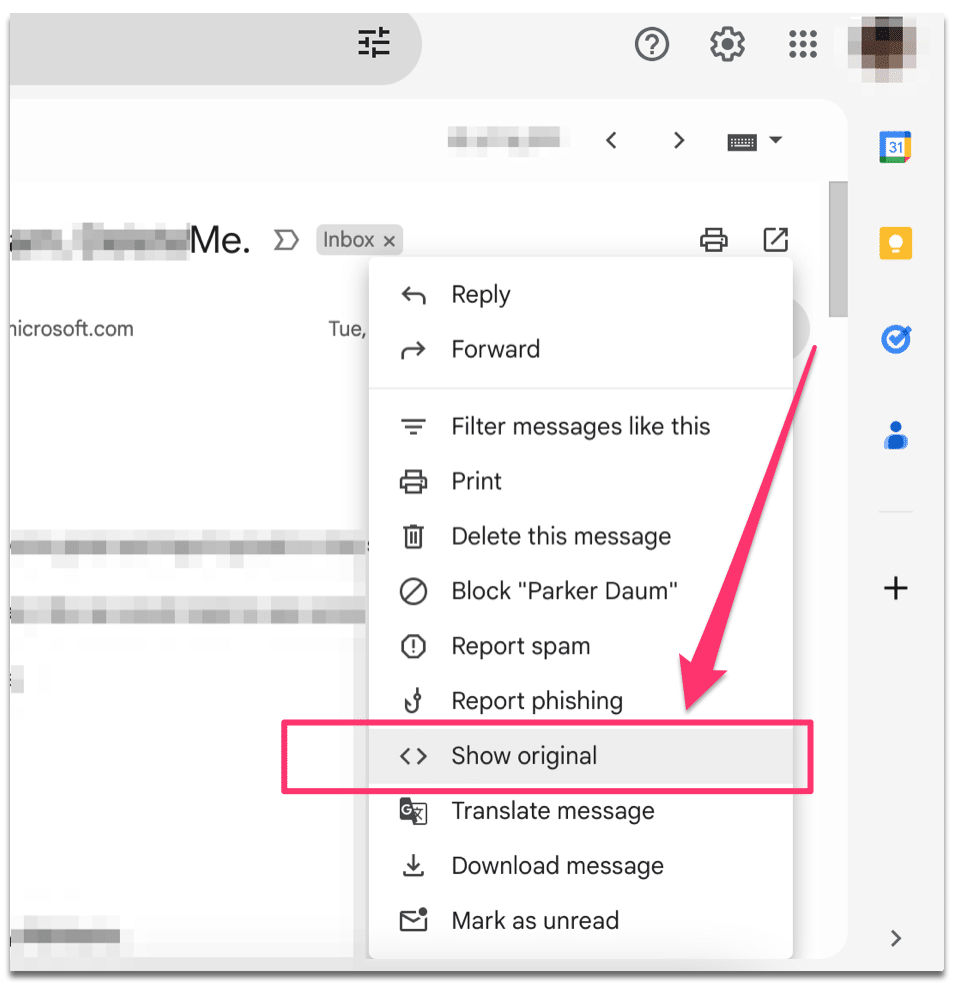
By doing this, you can view the source code of the email, including the IP address behind it, if possible. In addition, if the person is sending emails from a custom domain name or a third-party service, you’ll see that. That being said, the original email is not that easy to read and understand if you don’t have any experience with coding.
So, take your time and try to decode what’s there. That could provide you with as much helpful information as you need. In all cases, you should be able to see their name just next to the message you sent, if there are any.
If you use other email services like Yahoo, Outlook, etc., the IP behind the send is more likely provided. So, try this same method there, as other providers show the real IP. Google may hide it, but not for every email that someone sends.
In Outlook, for example, you can open the email. Next, click on the 3 dots menu next to it. After that, scroll down to see the ‘view’ menu. From there, click on ‘View message source’.
Here are the steps in the next screenshot I created for you.

Reverse email lookup
So many of these tools can help you trace email addresses in a few clicks. But most of them provide general details that you can get yourself with Google or the inbox itself. That being said, a couple of trusted reverse email search tools offer exclusive features. That includes showing the information behind emails, including those on Gmail, Yahoo, and Outlook, or even custom domains.
It all depends on how the email owner is using it on the web. So, when that person is creating accounts on social media with it, it gives these tools more information about who they are. That’s similar to phone numbers but with a little difference here.
Email lookup services trace the information linked to it, and they can help you learn more about people. That’s a great way to see with whom you exchange emails or to identify anonymous users. At the same time, when seeing the real name of an email address, people can distinguish between real people and fake ones.
Unlike other techniques, email lookups can provide more details. That’s because these tools have access to multiple databases that they own or manage. Thus, users who look up emails there may discover the following information:
- Names
- Address
- Phone numbers
- Usernames
- Possible profiles on social media
- Public records and much more…
As simple as it looks, by entering someone’s email address into Google Search, you may get the information associated with it. The search engine can tell you who that person is with useful data, including any other contact method or photos.
Remember that tracing an email address to its owner may take some time with Google. There could be thousands of pages to browse to find the information you need. However, the best thing about Google is that it indexes everything that’s publicly available.
Now, to tell Google that you need to uncover information linked to a specific email, use the following search expression:
[email protected] Youtube, OR Facebook, OR Twitter, OR Instagram, OR LinkedInMake sure you modify that example as you need. Also, if you get no results, try to focus on one social network at a time.
The LinkedIn way
This is not always a valid technique, but it’s worth a try. When the Gmail user you want to identify is publishing those contact details on LinkedIn, you can find their real name. So, start with LinkedIn, type that exact email ID into their search bar, and validate. Or use Google to find their LinkedIn instead. Now, if there is any data associated with that, the site will show you the profile of the person who shared it. Finally, from there, you can uncover the first and last name of the owner of that email.
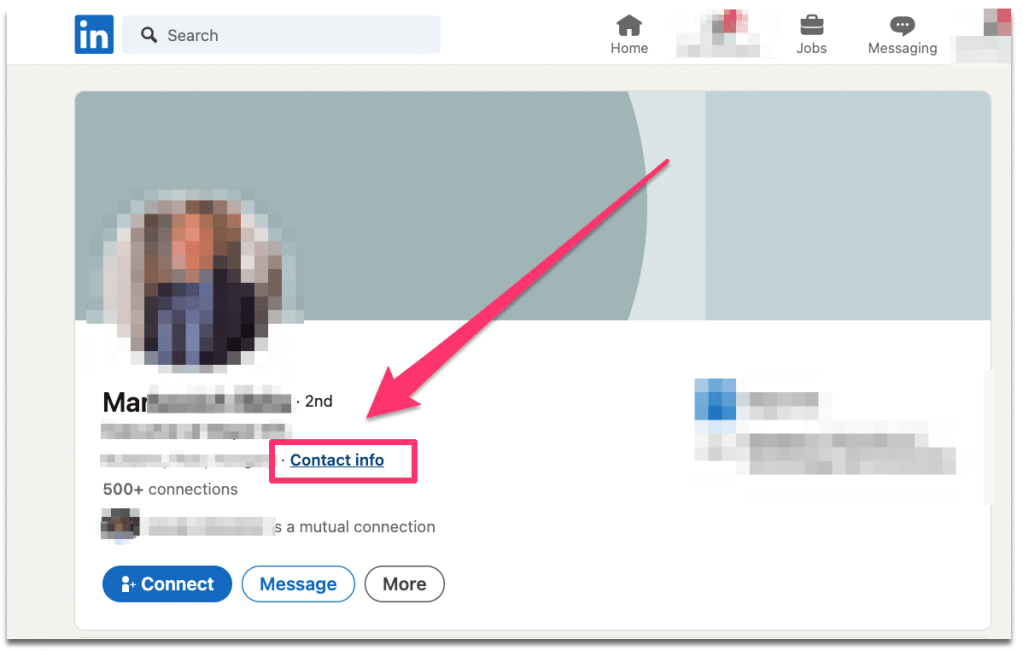
Here is another trick that could help. In a LinkedIn user’s profile, there is a contact info tab. So, when you see any of their profiles, click on their photos to see the page behind them. Next, click on the contact info tab, and if you’re lucky enough, you’ll see the same email you already searched for internally on the platform.
With their social network, there is more data to uncover about people you don’t recognize. So, next time you receive an unknown email from them, do this search and find out who is behind them.
Conclusion
Depending on what email service you use, you can get information from the message you received or from the email itself. So, start with the easiest options that don’t require a lot of time, such as viewing the original email. Or, reverse lookup that email address to get the full information behind its owner.
