
Social media apps like Snapchat are so popular, especially among teens. But there are cases when you may want to reverse lookup a username on Snapchat and find out who the real person is behind it. Nowadays, many people, just like you and me, want to get rid of fake accounts on the app. So, they use the power of Internet tools to discover the details behind a specific account and see their name and location.
For that reason, I’ll help you get most of those accounts using only what they have as details.
How to run a Snapchat username search
It doesn’t matter if the profile you want to investigate is a real or fake one, you have many options. Some lookup sites offer different levels of data, depending on how their systems find it. Also, some tools organize that information by category, like social media, contact details, education, etc…
The instant messaging platform offers more features than it did years ago. So, when people create their accounts for the first time, they care about their usernames. That should be unique, as there is no way to find someone on the app without their username or phone number. Additionally, that piece of information is so important for those who need it. In other words, by just typing the username of a Snapchat account into a search tool, you can get most of the information. That could include their name, their email, and even photos.
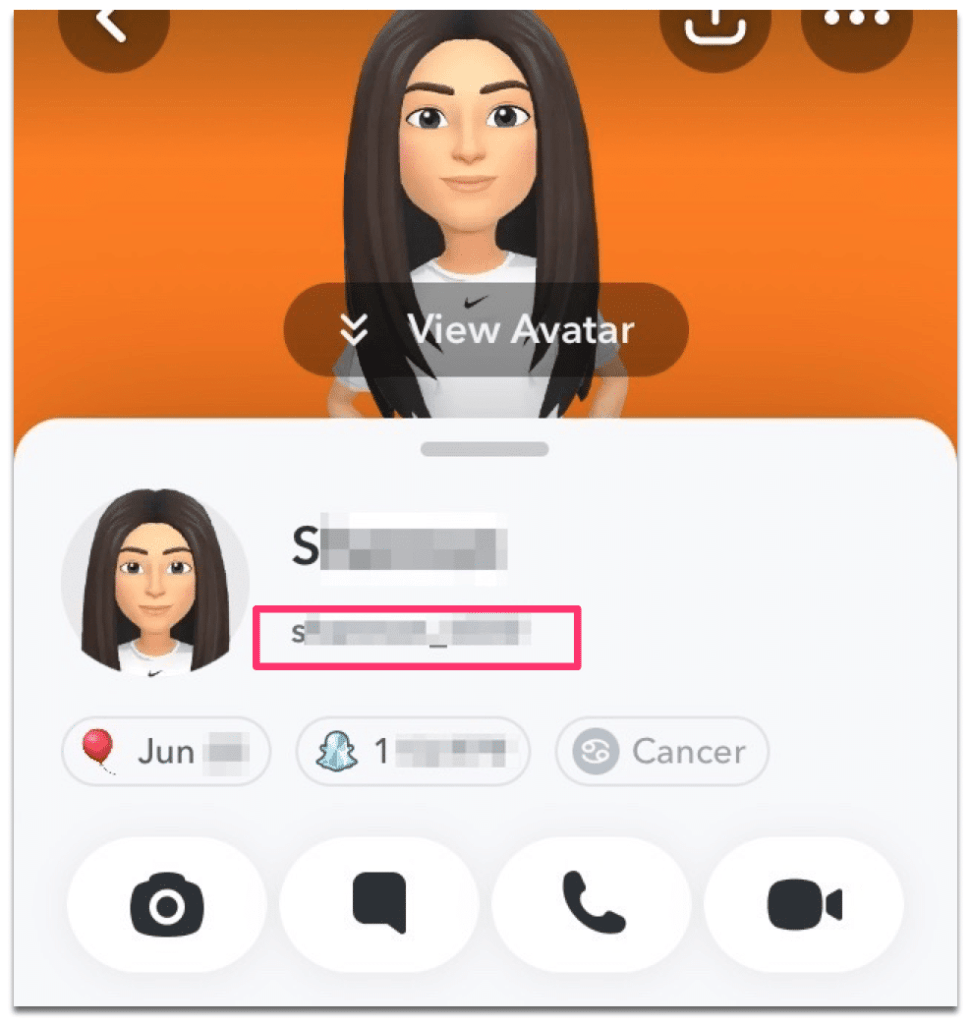
Direct social media lookup
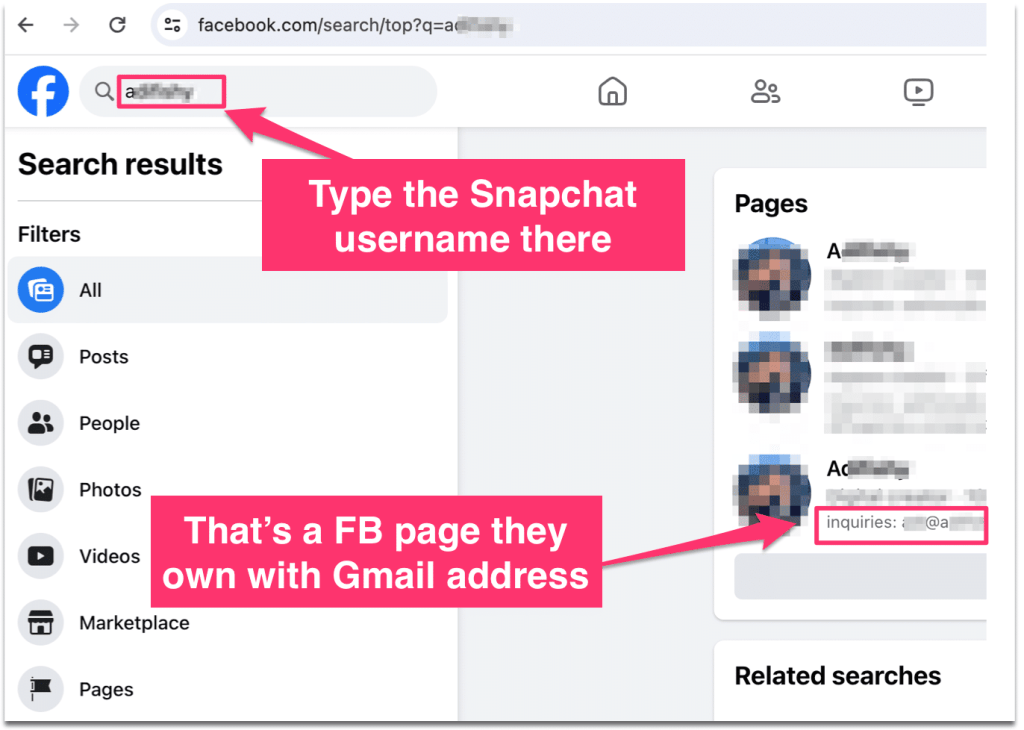
This is by far the easiest way to find someone on social media through their username. So, even with Snapchat, you can type it into the Facebook search bar. Next, validate and scan through the profiles on that page. If you can’t see them clearly, it’s a good option to use the platform’s search filter. That should help you exclude accounts or posts from other people you’re not interested in.
Here is one example, in which, I typed someone’s Snapchat username, to find the linked account on Facebook. After that, I discovered their Gmail address because they added it as an inquiry method.
Now, do the same with other sites such as Instagram, Twitter, or TikTok. Then, see the profiles of that person and compare them all together. That way, you may get a clear idea about the user of that account.
For TikTok, for example, you can type that username in the search bar. Or see if it has an existing account by using the following URL example:
https://www.tiktok.com/@snapusernameThat way, you don’t only get the TikTok account linked to someone’s Snapchat, but also view their identity and details.
Regular search engines (Google, Bing, etc…)
The real challenge with Google, for example, is the public data. So, if the accounts are kept private and blocked from crawlers, then Google won’t be able to index them.
The same applies to Bing and other search engines that rely on public data to list search results. Google may try to visit the web page of a specific profile on Snapchat. Then, the crawler needs permission to view the public data, such as the system’s configuration. So, if the site administrators allow indexing of people’s accounts, then Google will do that easily. This applies to social apps like Instagram, TikTok, and others.
Again, you’re not only looking at someone’s Snapchat username; that’s all. Instead, you have to do more investigations to combine multiple options at the same time. Google Advanced Search, for example, can save time browsing a long list of SERP pages about a profile. Also, that can help you filter out accounts by language, location, and even number, or set custom filters.
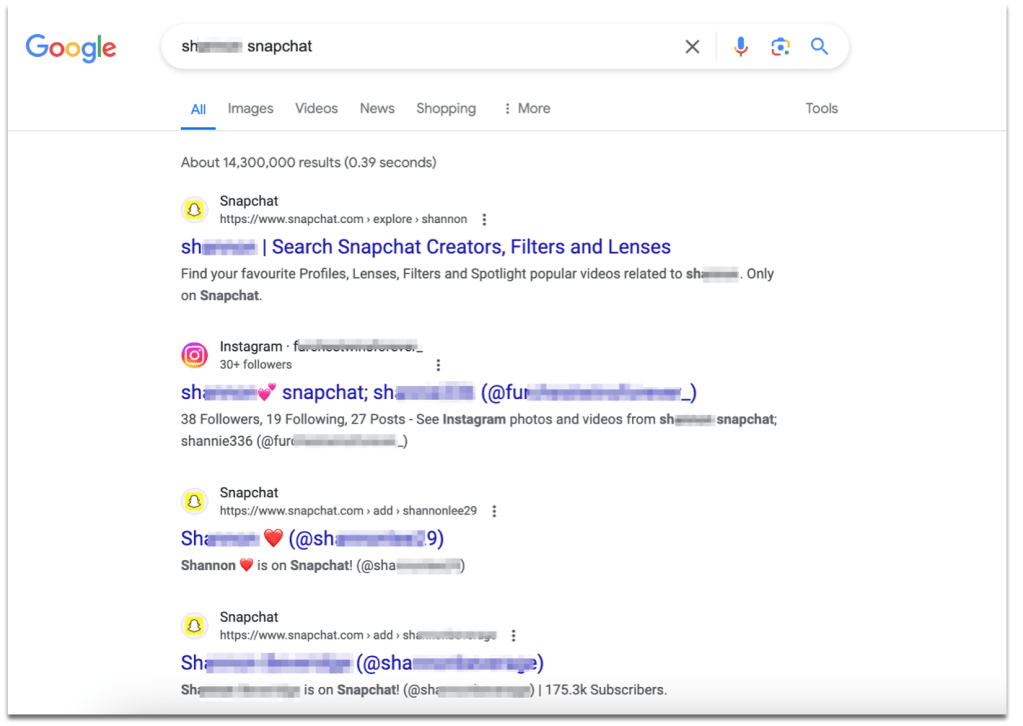
To reverse lookup a certain username with Google, type it and add the name of the associated social account. Thus, you tell the algorithm that you need details, including the name behind it on the Internet. In the next example, I typed the same Snap username of someone I know into Google. Then, it provided other accounts on Instagram and more pages they own.
Reverse username lookup databases
This type of search is advanced in terms of quality. But it’s not complicated. So, instead of browsing multiple social media networks and sites, you get all this on one search platform like Profilewhois.com. Additionally, they have up-to-date databases of people’s details and data. It’s the same as other options, but it comes with in-depth data such as:
- The history of the person
- Their cell numbers
- Additional social accounts
- Any photos they publish online
- Public records, etc…
The quality of these databases is much better compared to the regular option. However, they’re paid and not free, like Google. That’s the only issue if you just want to run a single search. On the other hand, if you think that you may use this technique in the future to identify unknown users on social media, then it’s for you.
The URL of a Snapchat profile is like the following example: So, make sure you use it and modify it as you need.
https://www.snapchat.com/add/usernameSome dedicated tools offer general lookups, including reverse username search, not only for Snapchat usernames. That means there is no special feature that’s built for the Snap app, but for all types of usernames across the web. You can even try usernames from forums, websites, YouTube, and so on.
I personally know many experts who use these tools in their daily lives. That’s because there are so many scammers out there on social networks. Consequently, it’s not an option these days, to have a powerful tool that helps them discover more details about users online.
Other tips for you
Finding information linked to a specific username of a Snapchat account is possible through the above methods. However, in some cases, people may use the same username across different social apps, which complicates the investigation. That means there could be dozens or more profiles with the same URL and username, but the owners are completely different.
For that reason, it’s a good idea to spend some time reading the page’s details. For example, you may see that one account owner lives in San Francisco, while the other is from New York. That can give you hints about whether the person behind these accounts is the same or not.
In addition, think about the Snapchat account owner you want to identify. If that account has not been updated for years, that’s not going to help much. In fact, pages on social media may include outdated details. So, when you think that the same person who created that account is managing another page on Instagram, for example, the truth will be different.
Some popular usernames attract the attention of social media users. And because people prefer short but catchy usernames, they’ll try to find available ones across multiple social media apps at once. Once they find a good site to use, they’ll create their account, even if all of the profiles on that username are different.
Conclusion
When using any tool to reverse lookup someone’s Snapchat username, make sure you collect as many details about them as you can. After that, refine the results if you want to deploy the Google search or similar options. Next, see the name of that person, especially if their anonymous account looks suspicious anyway.
On the other hand, when you have no time and you want to accelerate the search process, then use a dedicated username lookup system. That should help you much better to uncover the real identity behind a username in a matter of minutes.
